Introduction
I was always curious about the wireless devices around me, and I spent a lot of time investigating them — not only the standard 802.11 WiFi but other “custom” RF technologies too.
Once, during my experimentation with WiFi protocols and how they actually work, I saw the well-known probe requests from one of my IoT devices that I had for a long time, which needed a specific WiFi AP(Access Point) to work. But what happens when this AP is not around it? It continuously sends probe requests over the air with the specific SSID name that it needs.
This is nothing new; people who work in cybersecurity know that this is how things work. There is also a well-known attack type called a “Karma Attack”, where you can make a dynamic AP that corresponds to the specific SSID that the device is searching for. So, if the device says, “I am looking for ‘MyHomeWifi’,” the attacker brings up an AP with the same name and waits for the device to try to connect.
But, from this comes one more problem. If you set the same type of encryption (for example, WPA2/WPA3 etc.), the device that searches for that SSID will send a Half Handshake to the AP. If we capture this, we can still crack it using an offline dictionary attack against the password of the original SSID. So, TL;DR: if you turn on the WiFi on your phone or IoT device (whether portable or not), it is possible for someone to crack the password of your saved networks just by bringing up an AP with the same name as the probe request that the device sends. Nothing new, right?
But what if we blacklist all the phone vendors (by MAC address, where is possible) to make space for IoT devices, and start this Android NetHunter APP around a big city? I should say that this public script search for all WiFi devices without looking for MAC but u can search for them manually by SSID name. To able to run this script you need GPS demon witch should listen on correspond port.
I use script specifically for probe requests to find specific, repeatable patterns of SSIDs around the city. I use my specially configured phone for security-related stuff; it is rooted and has the necessary tools to make this happen easily and with minimal effort. I use the internal WiFi card and GPS on the phone to remove the need for additional hardware and make this really portable - All in one device.
 OnePlus7Pro
The Findings
So, after a few attempts to collect probe requests around the city, I got some interesting repeatable SSIDs like “DefaultSSID” and “moduletest” (I haven’t investigated the latter yet, but it is a completely different device). They appear in different locations with completely different MACs, but each of them has its own specific IoT vendor MAC prefix.
I started with “DefaultSSID”. I made an AP that responds to that name and tried to let it onto my AP to understand what is behind this device. The device wanted to connect to an AP with a specific password, so I used the half-handshake attack to try to guess it. The password was easy to crack with common wordlists. So now, I started a new AP with the correct name and password, and voilà, the device connected to it.
The next thing was to perform an Nmap scan to find out what services these devices provided, if any. The only port that I got on them was port 80 (TCP) - HTTP service.
But I got an HTTP Basic Auth prompt everywhere I got a response from my web fuzzer:
401     POST/GET        1l        2w       22c http://12.0.0.12/config
401     POST/GET        1l        2w       22c http://12.0.0.12/service
401     POST/GET        1l        2w       22c http://12.0.0.12/update
401     POST/GET        1l        2w       22c http://12.0.0.12/default
401     POST/GET        1l        2w       22c http://12.0.0.12/network
401     POST/GET        1l        2w       22c http://12.0.0.12/server
I tried to brute-force the username and password, but without any success. I tried on different devices around me, and everywhere the result was the same: the same port asking for an HTTP Basic username and password that I didn’t know, and it was not an “admin:admin” type of credential.
The only interesting thing that I found with a 200 OK response was:
200 POST/GET 255l 3433w 22950c http://12.0.0.12/license
Which, unfortunately, did not contain any useful information because it was some sort of general license…
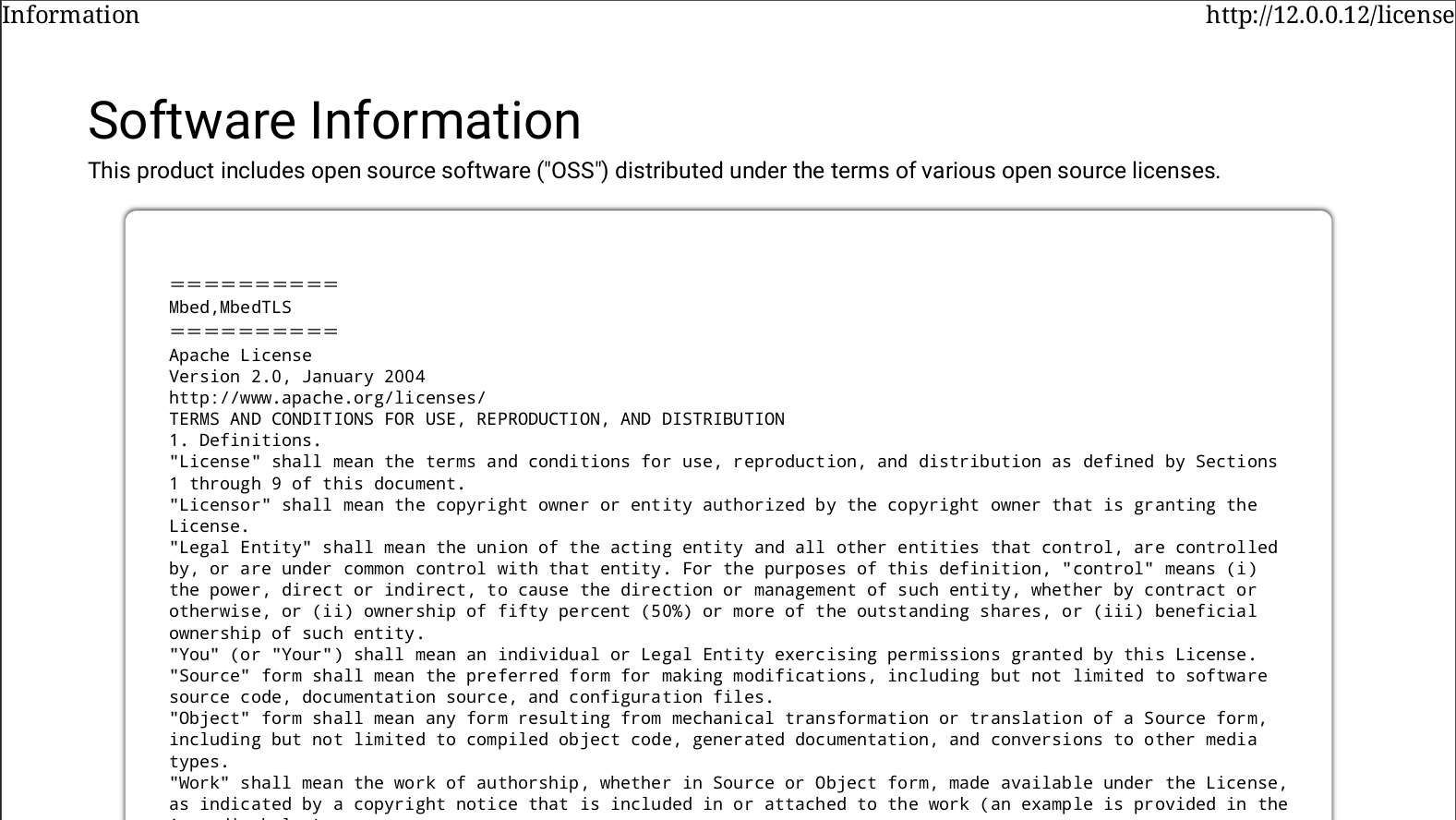 /license
For months I gave up, because i couldn’t find someone that I know to own this type of device(very sad). Until one day I woke up with the motivation to try one more time to investigate this interesting devices that is almost everywhere wherever I go.
Again, I didn’t have much success with the brute-force(I try more than 50k combinations of possible IoT passwords), so this time I started digging on the internet to find more information about these endpoints that I saw on the web fuzzer. After an hour of searching, I found an interesting blog by Alexandre Vicenzi: mitsubishi-wifi-adapter. The screenshots from the blog didn’t speak to me (because I had never seen this web interface before), but the endpoints at the end of the blog spoke a lot to me. I didn’t really see any mention of the SSID that I saw everywhere, though.
Then, I found that he mentioned someone had figured it out and detailed how to properly interact with it. The author is Ash Hopkins, and this is his repository: mac-577if-e. He created a Python library for this module with is very cool!
It was a WiFi air conditioner adapter with part number MAC-577IF-2E. I reviewed his repository, but again, I didn’t find this “DefaultSSID” that I saw everywhere. So I doubted my finding…
However, from his repository, I found credentials for HTTP Basic, I search for one of these devices and make a try and voilà, they worked perfectly. So it really was this device.
I tried a command like this to verify that it would work for the device connected to my AP:
python3 ac_control.py --ip <DEVICE_IP> --status --format json
And boom, it worked.
Now, the next thing I needed to do was verify that all these devices I found were really the same type and model, just different physical devices. So, with a little help from AI, I wrote multiple scripts that automate this process: when a device connects to my phone, it saves its location and pulls its status, like temperature and power state and saves in to DB file that I will later use to build a MAP.
The idea was to collect some good number of devices around the city without touching them, just to verify how big this finding really was. During a short walk in my neighborhood, I was able to collect more than 50 devices with their statuses.
This was scary because this script from GitHub can not only view the temperature, but it can also power off/on the device or change the temperature. I immediately contacted the vendor about this finding and waited for their confirmation! The advisory was published at the following URL - HERE. with CVE Number - CVE-2026-5667
Affected product types include: Room air conditioners, Wi-Fi LAN adapters for air conditioners, Refrigerators, Heat-pump water heaters / HEMS devices, Bathroom drying / heating / ventilation units, Lossnay ventilation / smart ventilation switches, IH cooktops, Rice cookers.
After confirmation, I understood that it was very real, and not only in my area. The problem here is that when the device has not been connected to a WiFi AP by its owner, it stays in setup mode and continually searches for this AP for its next instructions. For security reason I can’t provide the actual PoC script.
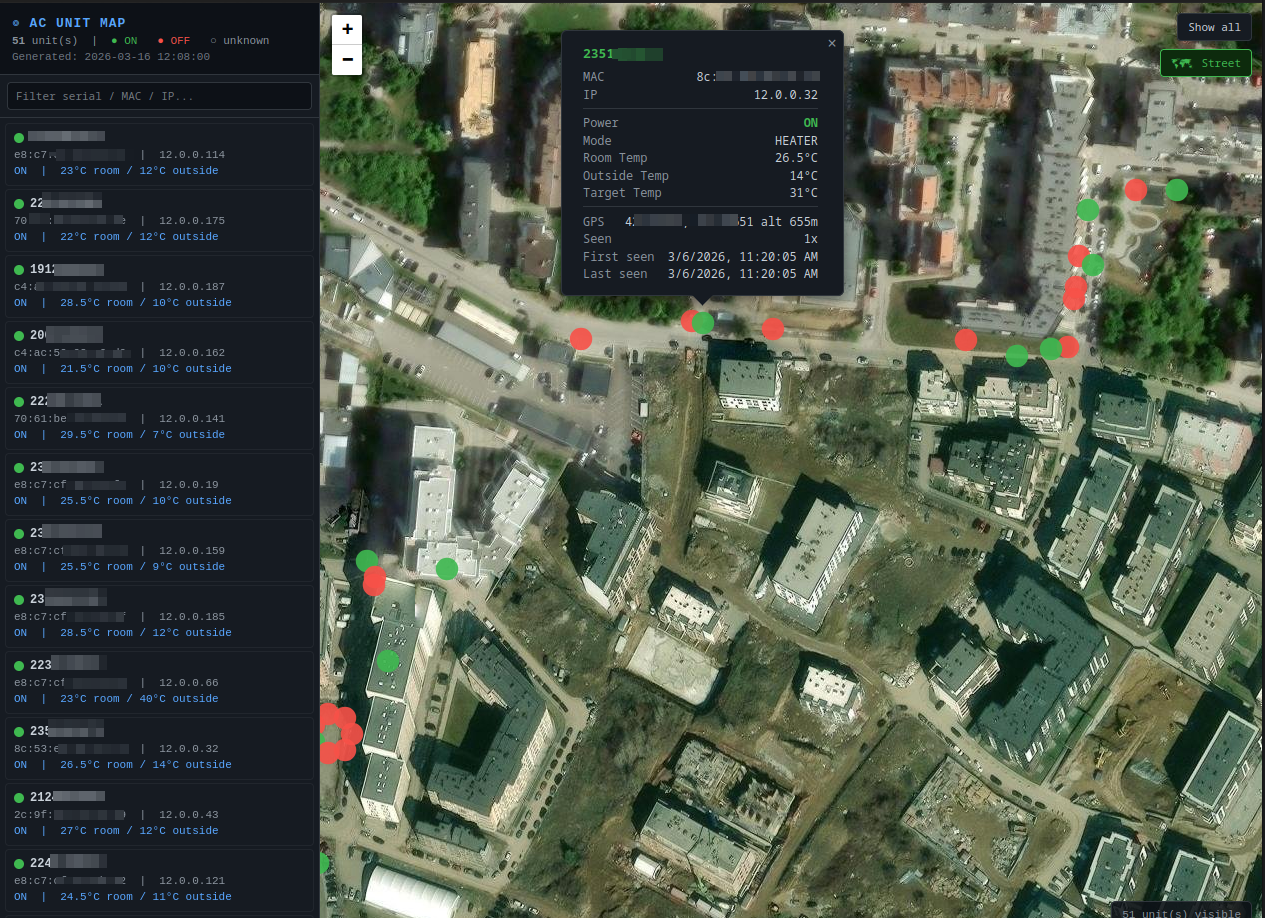 AC Units Map
Additional Analytics and Findings
It is not a secret that corporate EAP also can be owned using this method of Half Handshake just we need to use tools like hostapd-eaphammer. But this will be other topic for other writeup.
I think Wi-Fi devices are still misunderstood in terms of how they work, how secure they are, and what attack surface they create. On one hand, most tech-savvy people think that if they use a long password, everything will be fine. On the other hand, people who do not understand smart devices but still want the latest model of vacuum cleaner may buy one, but choose not to connect it to Wi-Fi because they think that will remove the “smart features” of the product.
We all know that modern devices use MAC randomization to make tracking them more difficult. But while writing my recon script for probe requests, I got an idea: I can tag devices that look for two or more SSIDs and group them together. Modern smartphones use MAC randomization to prevent device tracking. But if you leave Wi-Fi on, this can create another tracking surface.
For example, if a smartphone has saved more than two Wi-Fi networks, which is very common, and its Wi-Fi is turned on while it is near me, I can tag these unique SSIDs. When I see a device searching for exactly the same combination of SSIDs stored in the tag, even if the device changes its MAC address, I may still be able to track it based on its unique network signature.
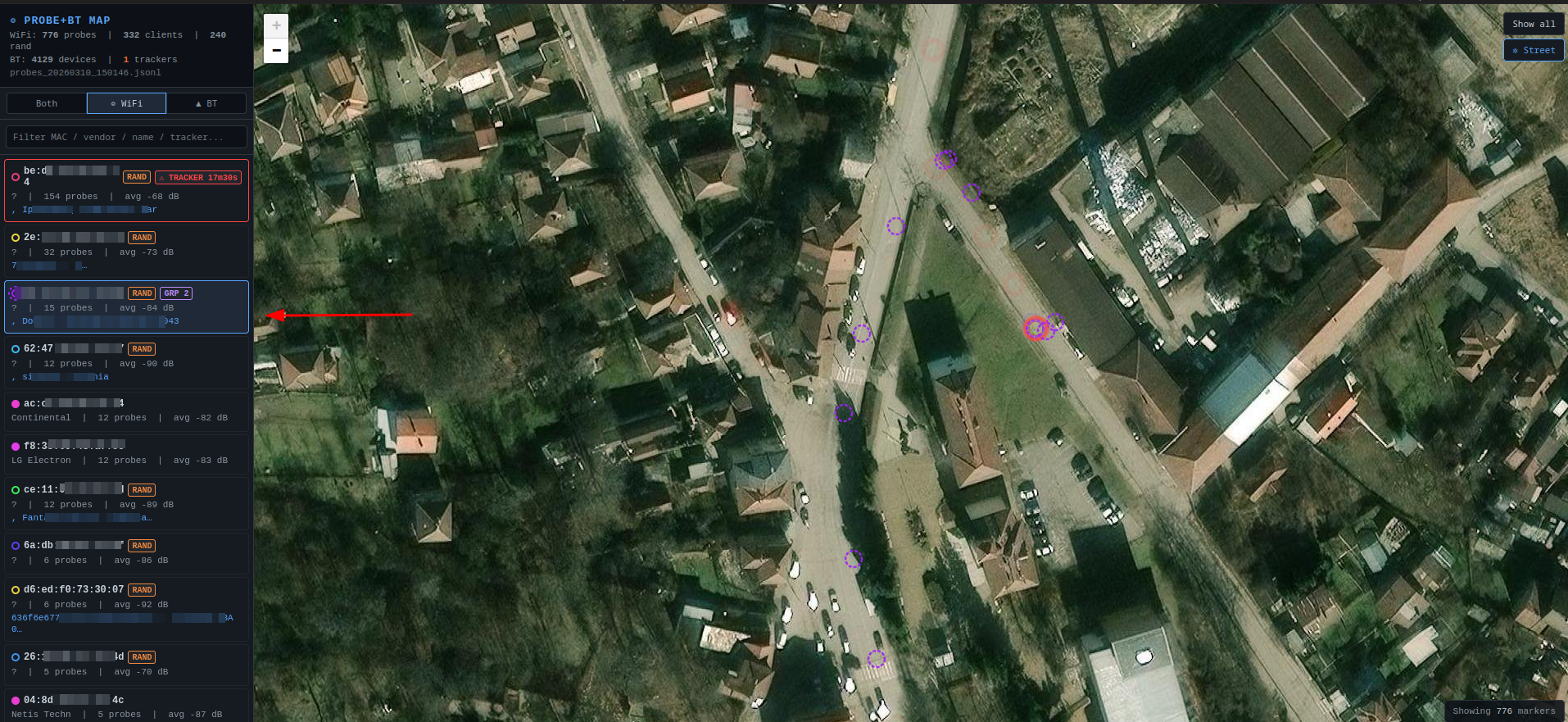 WIFi Devices map
Conclusion
During this reconnaissance, I was also able to find other IoT devices around the city that search for their own SSID. Maybe they hide their secrets too, right? I known people that say they buy devices that are “smart” capable of WiFi or Bluetooth but they never setup them because of afraid that someone can hack it, so this proves that whenever this future is present it can cost integrity of the device or owners data.
Buying an IoT device, especially a portable one, can open an attack surface on your home or corporate network. But why does this matter?
- WiFi attacks are hard to track to their source because of MAC spoofing and the variable distances from which they can be performed, even through couple of walls.
- Often, if you don’t have some sort of active monitoring of WiFi and DHCP activities, this can be completely ignored and missed. The owner might never even know that their WiFi has been hacked and used for malicious activities.
On the other hand, Bluetooth has the same problem on most cheap Chinese devices that can interact with different UUIDs without any authentication. But that will be a topic for another coming write-up.